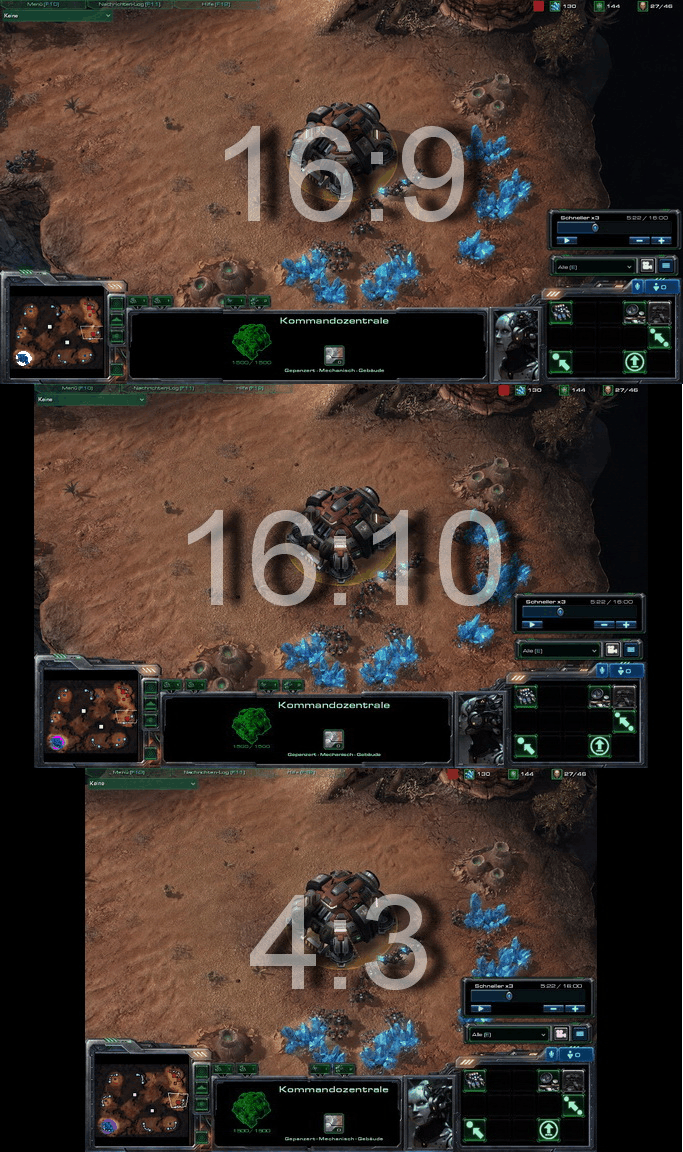
^ 1024x768

^ 1920x1080
Both resolutions display the same scene... at least they should...
But in reality, the widescreen resolution doesn't show enough of the map as it hits the camera boundary to early for my chosen zoom.
Small clarification: in both pictures the screen is obviously centered on the hero...
My settings (modified default camera)
Code
CCamera_BorderSizeX 0
CCamera_BorderSizeY 0
CCamera_TargetSmooth_SmoothTimeMax 0.100000
CCamera_TargetSmooth_SmoothTimeMin 0.100000
CCamera_TargetSmooth_VelocityMax 222222224.000000
CCamera_ZoomTable_Param_Value ((0.000000|0.000000|0.000000|0.000000|21.111111|56.000000|0.000000|0.000000|0.000000|0.000000|0.000000|0.000000|0.000000)|(0.000000|0.000000|0.000000|0.000000|30.000000|52.000000|0.000000|0.000000|0.000000|0.000000|0.000000|0.000000|0.000000)|(0.000000|0.000000|0.000000|0.000000|26.000000|48.000000|0.000000|0.000000|0.000000|0.000000|0.000000|0.000000|0.000000)|(0.000000|0.000000|0.000000|0.000000|22.000000|44.000000|0.000000|0.000000|0.000000|0.000000|0.000000|0.000000|0.000000)|(0.000000|0.000000|0.000000|0.000000|18.000000|40.000000|0.000000|0.000000|0.000000|0.000000|0.000000|0.000000|0.000000))
CCamera_BorderSizeY 0
CCamera_TargetSmooth_SmoothTimeMax 0.100000
CCamera_TargetSmooth_SmoothTimeMin 0.100000
CCamera_TargetSmooth_VelocityMax 222222224.000000
CCamera_ZoomTable_Param_Value ((0.000000|0.000000|0.000000|0.000000|21.111111|56.000000|0.000000|0.000000|0.000000|0.000000|0.000000|0.000000|0.000000)|(0.000000|0.000000|0.000000|0.000000|30.000000|52.000000|0.000000|0.000000|0.000000|0.000000|0.000000|0.000000|0.000000)|(0.000000|0.000000|0.000000|0.000000|26.000000|48.000000|0.000000|0.000000|0.000000|0.000000|0.000000|0.000000|0.000000)|(0.000000|0.000000|0.000000|0.000000|22.000000|44.000000|0.000000|0.000000|0.000000|0.000000|0.000000|0.000000|0.000000)|(0.000000|0.000000|0.000000|0.000000|18.000000|40.000000|0.000000|0.000000|0.000000|0.000000|0.000000|0.000000|0.000000))
Basically I set the distance from 34 to 21.111111.
Is there a way that makes the screen with 16:9 to be able to scroll far enough to see the same area as the 4:3 ration?
Can I adjust how much space the camera takes up or do I need to adjust all camera boundaries and shift everything in my map more far away of the edges of the map?
Or is the camera just that limited?
If yes, that's something Blizzard could improve, too...
Post has been edited 1 time(s), last time on Mar 18 2012, 2:36 am by Ahli. Reason: added clarification