The idea is simple: post a funny/epic/cheesy pic that you've taken of a game of StarCraft II game.
SC-related pics are encouraged too, so long as they're SFW and worth looking at!
When quoting images, please use the collapse tags.Creativity is encouraged, and the more pictures the better! Feel free to comment on different pictures so long as it remains tasteful.
To start:
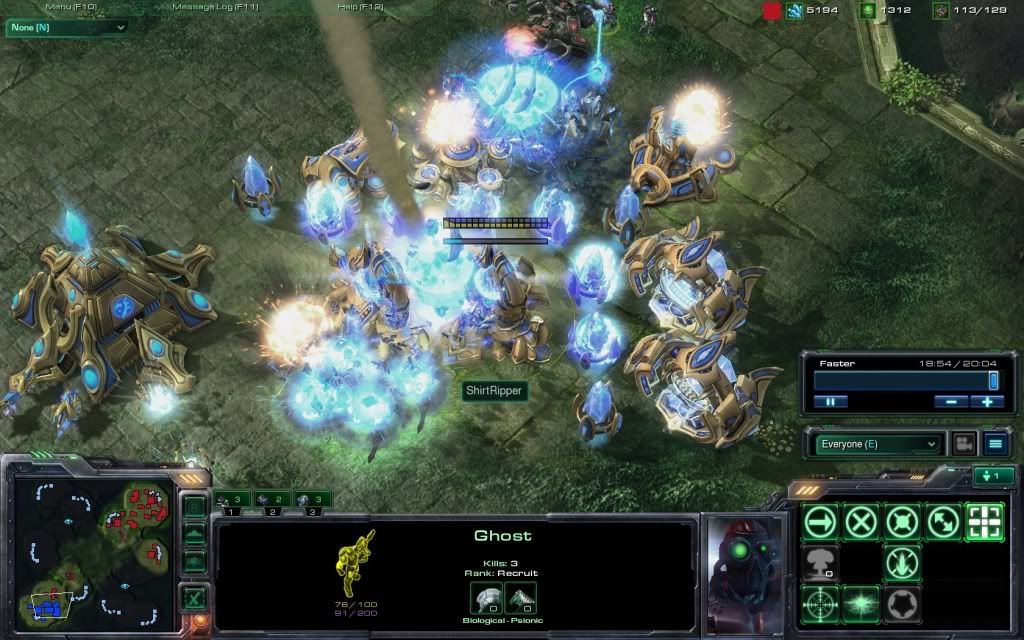
From my very first game of SC2. Gotta love it


Felt so damn pro.
How do I get sc2 ss? Print screen doesn't work as far as I can tell
How do I get sc2 ss? Print screen doesn't work as far as I can tell
Same.
It used to work: back in the beta, where my screenshots were automatically stored into the Screenshots folder, but it doesn't work anymore.

None.
It works. It gets saved into your documents or something like that. I'd have to double check
None.

We can't explain the universe, just describe it; and we don't know whether our theories are true, we just know they're not wrong. >Harald Lesch


Pressing print screen at the very least copies the image to the clipboard. Go to paint or w/e and paste it there.
Pressing print screen at the very least copies the image to the clipboard. Go to paint or w/e and paste it there.
But that's extremely tedious, we do agree on that I suppose.

None.

Master has given Dobby a doctorate! Dobby is free!
Pressing print screen at the very least copies the image to the clipboard. Go to paint or w/e and paste it there.
But that's extremely tedious, we do agree on that I suppose.
We can't explain the universe, just describe it; and we don't know whether our theories are true, we just know they're not wrong. >Harald Lesch
Pressing print screen at the very least copies the image to the clipboard. Go to paint or w/e and paste it there.
But that's extremely tedious, we do agree on that I suppose.
If you're taking a series of screens, then yes. If it's just one, then no.
Like most games nowadays, you'd have to go to properties --> compatibility --> check disable desktop composition for the screenshot to not be all black or whatever.[/color]
Not for me.
They do save when you press Print Screen, though there's no notification that they do. They'll be in your My Documents folder where your replays and stuff are.
My Documents -> Starcraft II -> Accounts -> *number* -> *random series of numbers and other characters* -> Screenshots
Don't know why they're so hidden, but that's where they are.
LOL!
Why aren't they in the "Screenshots" folder? >_>
3 Screnshots folders for the same game is pretty unprofessional.

...
Just found the Screenies I had taken for one of the Map Nights!

None.
Here is one I've taken in the editor, however, there is a broodling hiding on the map, find it (and spot it)!
 Post has been edited 1 time(s), last time on Nov 6 2010, 2:13 am by Symmetry. Reason: we have those wonderful img tags for a reason :P
Please report errors in the Staredit.Network forum.
Master has given Dobby a doctorate! Dobby is free!
He should be roasting on an open pit, but hey, Lingie generally disapproves of that
http://www.staredit.net/268955/Another Map Night report full of screenies!
None.


From a melee at the end of Map Night.
None.